


















































































For a growing online store, we recommend a retainer that covers security patches, testing before release, and ongoing speed improvements. Without regular e-commerce development support, unfinished code fixes and database clutter can slow checkout. Your order volume, connections to enterprise resource planning (ERP) software, and seasonal sales peaks determine how much support you need.
Stores processing thousands of daily orders across large catalogs need careful code reviews and monthly developer hours. Updates also need testing on a staging server, a separate copy of the live store. Waiting for an extension to break after an update costs far more in lost sales than scheduled preventive work.
What’s Inside This Guide
- The Hidden Cost of Neglected Portal Infrastructure
- Selecting the Right Maintenance Service Model
- Matching Support Retainers to Platform Realities
- Coordinating Developer Tasks with Marketing Pipelines
- The Six-Point Deployment Routine That Prevents Broken Checkouts
- Allocating Retainer Spend for Maximum Technical Stability
- Common Retainer Inquiries from California Merchants
- Preparing Your Store for a Maintenance Retainer
The Hidden Cost of Neglected Portal Infrastructure
Once a store outgrows its off-the-shelf setup, maintenance becomes part of keeping the business running, rather than another utility bill. One unpatched security flaw in a checkout plugin can expose customer records or cause the payment gateway to reject transactions.

California’s consumer privacy law places strict requirements on customer data protection, so compliance failures can carry financial and legal costs.
Even minor platform updates can quietly break checkout extensions or the connections to payment and inventory systems. Merchant teams often discover broken mobile menus or missing analytics tags days after a campaign has gone live.
Production rule: Test the payment connection on a separate staging site before applying any platform update or extension patch to your live store.
Retainers keep unresolved technical work from piling up through server cleanup and automated script monitoring. Checks after each update catch problems in features that worked before. Scheduled website maintenance keeps servers ready for busy promotions, rather than leaving you to find outside help during a weekend outage.
Selecting the Right Maintenance Service Model
Choose your support level based on how often your catalog changes and how much custom code you run. Your staff’s technical skills matter too.
Evaluating Three Primary Retainer Structures
Each store has different demands. Some merchants need only scheduled security scans and plugin patches. Others need weekly development work to prepare for promotions or test design changes.
| Option | Recommended Starting Point | What to Watch |
|---|---|---|
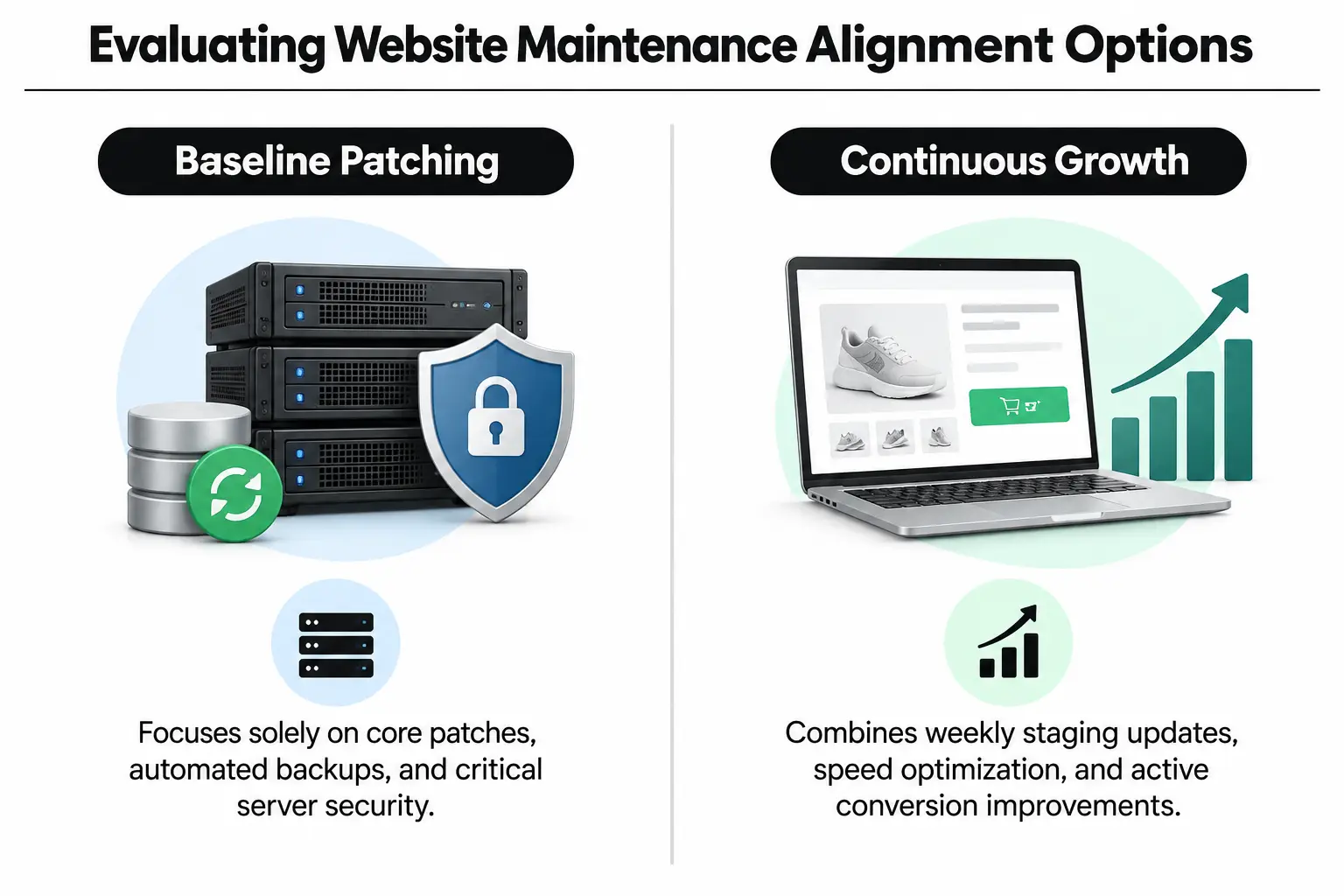
| Security & Backup Baseline ($) | Catalogs that rarely change, with few custom connections to outside software. | Does not cover routine code cleanup, styling fixes or design changes. |
| Continuous Code & Speed Optimization ($$) | Growing stores adding 10 to 50 product codes (SKUs) monthly, with steady paid traffic. | Needs clear monthly priorities so available hours go toward planned work rather than sitting unused. |
| Full-Stack Architecture & On-Call Engineering ($$$) | High-volume stores with custom checkout rules and ERP syncing. | Needs clearly documented tasks and communication rules to keep developers from getting blocked. |
Before choosing a new technical partner, start with a free website audit. It identifies database requests that block other work and caching failures, where stored page data cannot be reused. It also finds product URLs missing from search indexes before you commit your budget.
Matching Support Retainers to Platform Realities
Your platform determines how often developers need to work on the store and how much time they need. Custom stores built on open-source code need different care from closed, hosted platforms, where the provider manages the underlying software.
| Situation or Style | Recommended Choice | Avoid |
|---|---|---|
| Large enterprise catalog | Dedicated Magento development with specialist database tuning. | Treating complex enterprise modules like simple drag-and-drop website templates. |
| Consumer brand launching quickly | Focused Shopify development to speed up Liquid themes and reduce overlapping apps. | Installing dozens of unchecked third-party apps that make the browser run more code. |
| Content-heavy direct-to-consumer store | Planned WordPress development with separate caches for stored database results. | Leaving automatic platform updates unchecked without testing the plugins checkout relies on. |
Platform reality: Open-source platforms give you full control over customer accounts and hosting. During monthly upgrades, they need twice the testing time of hosted platforms to check that existing features still work.
Open-source stores such as Magento need regular security patches to protect financial data under guidance from the PCI Security Standards Council. Across California, many retailers choose specialist retainers because their custom database tables need hands-on performance checks after every product batch upload.
Coordinating Developer Tasks with Marketing Pipelines
Maintenance work needs to follow your sales calendar. Monthly technical updates should support the promotions you are actually running, including email offers and seasonal advertising.
Slow pages hurt campaign results. Paid traffic sent to a page weighed down by large media files or tracking scripts converts poorly. Teams working on reducing bounce rates for Los Angeles service agencies and retail stores see the same issue: Core Web Vitals, Google’s measures of page experience, affect retention.
Direct collaboration between developers and your branding agency helps updates preserve the site’s identity without breaking the scripts that track conversions.
| Starting Point | Pairing Direction | What to Sample or Test | Intended Effect |
|---|---|---|---|
| New product line rollout | Custom landing page templates with simpler checkout connections. | Compare two versions to test how quickly add-to-cart clicks respond. | Keeps interactions under a second during seasonal advertising peaks. |
| High-traffic ad campaign | Store cached content near visitors and spread database reads across copies. | Simulate heavy traffic while updating carts containing several items. | Prevents downtime when many shoppers check out at once. |
| Brand refresh across channels | Coordinated interface and user experience design changes applied to theme templates. | Check layouts across common mobile browsers and screen sizes. | Keeps visual priorities consistent without breaking purchase buttons. |
| Expanded analytics tools | Run Google Tag Manager on the server. | Check download size and script run time in browser developer tools. | Keeps sales attribution accurate without slowing page display. |
Schedule releases at least two weeks before major sales holidays. That gives engineers time to verify inventory syncing and automated order confirmations under sustained traffic.
The Six-Point Deployment Routine That Prevents Broken Checkouts
Regular maintenance needs a repeatable release process, not just repairs when something breaks. At Prozco Branding, we follow a strict deployment cycle when we take over a growing store. Each release goes through the same checks to protect the live site.
Video: Five e-commerce maintenance tips from Agency Partner Interactive.
- Keep changes on a staging branch: Copy the latest live database into an encrypted test environment before editing any theme or platform code.
- Review third-party code: Check new payment and tracking extensions for security flaws. Review database requests and unnecessary dependencies in CSS, the code that controls page styling.
- Automate checkout tests: Run complete test purchases with test credentials through credit card processors. Repeat those checks with PayPal and digital wallets.
- Measure page experience: Use Google’s page experience metrics to check responsiveness, including Largest Contentful Paint (main-content loading time) and Cumulative Layout Shift (unexpected layout movement).
- Release during quiet hours: Publish approved updates during confirmed low-traffic periods while watching live server error logs.
- Check the live checkout: Complete a real test transaction immediately after release. Confirm that payment webhooks, the automated messages sent after payment events, work correctly.
Maintenance rule: Editing live store files through SFTP, a secure file-transfer method, without version control puts daily revenue at an unmeasured risk.
These release habits help avoid the costly errors covered in our review of common mobile app development mistakes among California businesses. They also protect your store from checkout failures that could have been caught before release.
Allocating Retainer Spend for Maximum Technical Stability
Set aside capacity for emergencies without letting it consume the budget for planned code improvements. Underfunding maintenance leaves updates waiting until the store needs an expensive overhaul that disrupts business.
| Budget Level | What to Prioritise | What to Question |
|---|---|---|
| Standard Maintenance ($) | Regular security patches and cloud backups, plus platform stability updates. | Promises of unlimited custom layout overhauls within basic plans. |
| Growth & Optimization ($$) | Bi-weekly development cycles and conversion tests, with monitoring of software connections (APIs). | Invoices without hours broken down by task or records of staging work. |
| Enterprise Dedicated ($$$) | Guaranteed two-hour incident response, alongside custom code cleanup and database expansion. | Contracts without service level agreements (SLAs) defining commitments for downtime that affects revenue. |
Database indexes speed up searches; Redis caches reusable data, while file minification removes unnecessary characters. Funding these improvements consistently beats buying more ads for slow landing pages. To estimate the capacity your catalog needs, use our contact page to arrange a review of server logs and order patterns with our technical team.
Common Retainer Inquiries from California Merchants
How many developer hours does a scaling store typically require each month?
Most active catalogs with steady daily orders need 15 to 40 dedicated developer hours per month. Those hours cover platform patches and extension updates, along with database checks and small changes to the customer-facing site.
Why is a retainer more cost-effective than hiring a full-time in-house developer?
A retainer gives you access to database specialists and interface developers, plus security expertise, without the cost of full-time hires. Coverage continues through holidays and busy promotions, when one in-house developer may struggle to handle the workload alone.
Can unused maintenance hours roll over into subsequent months?
Unused hours usually roll over in part or go toward lower-priority work, such as cleaning up old styling code or reviewing images. Development teams reserve time for your monthly commitment. Banking hours indefinitely is rarely practical for that reason.
How do retainers handle unexpected server crashes during flash sales?
Enterprise retainers include priority service level agreements with emergency response times of two hours or less. Dedicated engineers watch server resources and memory use alongside live error logs. That monitoring helps them clear traffic bottlenecks before checkout fails.
Does regular maintenance include conversion rate and user experience tweaks?
Growth retainers often combine server maintenance with improvements to the shopping experience, such as simpler cart fields and mobile menu testing. Developers work with conversion specialists to make sure design changes load quickly and function properly.
Preparing Your Store for a Maintenance Retainer
Moving to a retainer removes the strain of running a growing store on outdated code. Before signing an agreement with our team at Prozco Branding in California, check that your staff can provide the access and information below:
- Repository access: Confirm that your team controls the main Git repository, where your live storefront code and its change history are stored.
- Server credentials: Gather full administrator access details for hosting and cloud servers so the team can set up staging.
- Third-party audit: List active payment gateways and shipping calculators, along with the automated event messages used by your marketing tools.
- Known backlog: Record recurring bugs or design inconsistencies that customer service staff have reported.
- Communication channels: Choose one internal contact with authority to approve releases from staging.
For full-stack store development support or a structured platform review, contact our senior engineering team to discuss a maintenance plan for your store.