
















































































Choose WordPress for deeper database access and technical control, or Webflow for faster visual publishing. For most growing brands, flexible data structures offer the safer long-term foundation for organic traffic. At Prozco Branding, we see the platform decision as a choice between immediate publishing speed and room to make technical changes later.
Search engines need pages they can index and servers that respond quickly. Your editors need a publishing process that doesn’t slow them down. Both platforms support search engine optimization, but hosting and upkeep differ. Understanding those differences early helps avoid costly migrations as you compete in Los Angeles and the San Francisco Bay Area.
What’s Inside This Guide
- The Real Cost of Misjudging Content Infrastructure
- Architecture and Code Control: Comparing Core Strengths
- Selecting Your Engine Based on Editorial Workflow and Growth Stage
- Stack Compatibility and Organic Discovery Ecosystems
- Execution Blueprint for Seamless Technical Crawling
- Allocating Resources: Development, Hosting, and Upkeep Tiers
- Common Platform Questions for Growing Enterprises
- Operational Strategy and Launch Verification
The Real Cost of Misjudging Content Infrastructure
Changing platforms during a market expansion takes engineering time and interrupts search indexing. The wrong system can leave you with too much script code and fixed URL structures that make crawling harder. Even basic metadata changes can hold up marketing if every edit needs an outside developer.

California businesses face strong search competition from San Diego to Silicon Valley. Competitors gain ground if your editors can’t publish targeted pages without breaking layouts on mobile screens. Clean HTML gives search bots a clearer path through the landing pages that bring in business.
Practical check: Check how your platform nests URLs before your directory grows, rather than rebuilding those links later.
Architecture and Code Control: Comparing Core Strengths
Code delivery deserves a close look in any search performance review. Search engines favor pages that load quickly and use HTML that clearly describes their content. Compare delivery across content delivery networks (CDNs), which serve files from distributed servers, to see where each setup has an advantage.
Video: WordPress and Webflow compared by Red Panther
Direct Technical Comparison
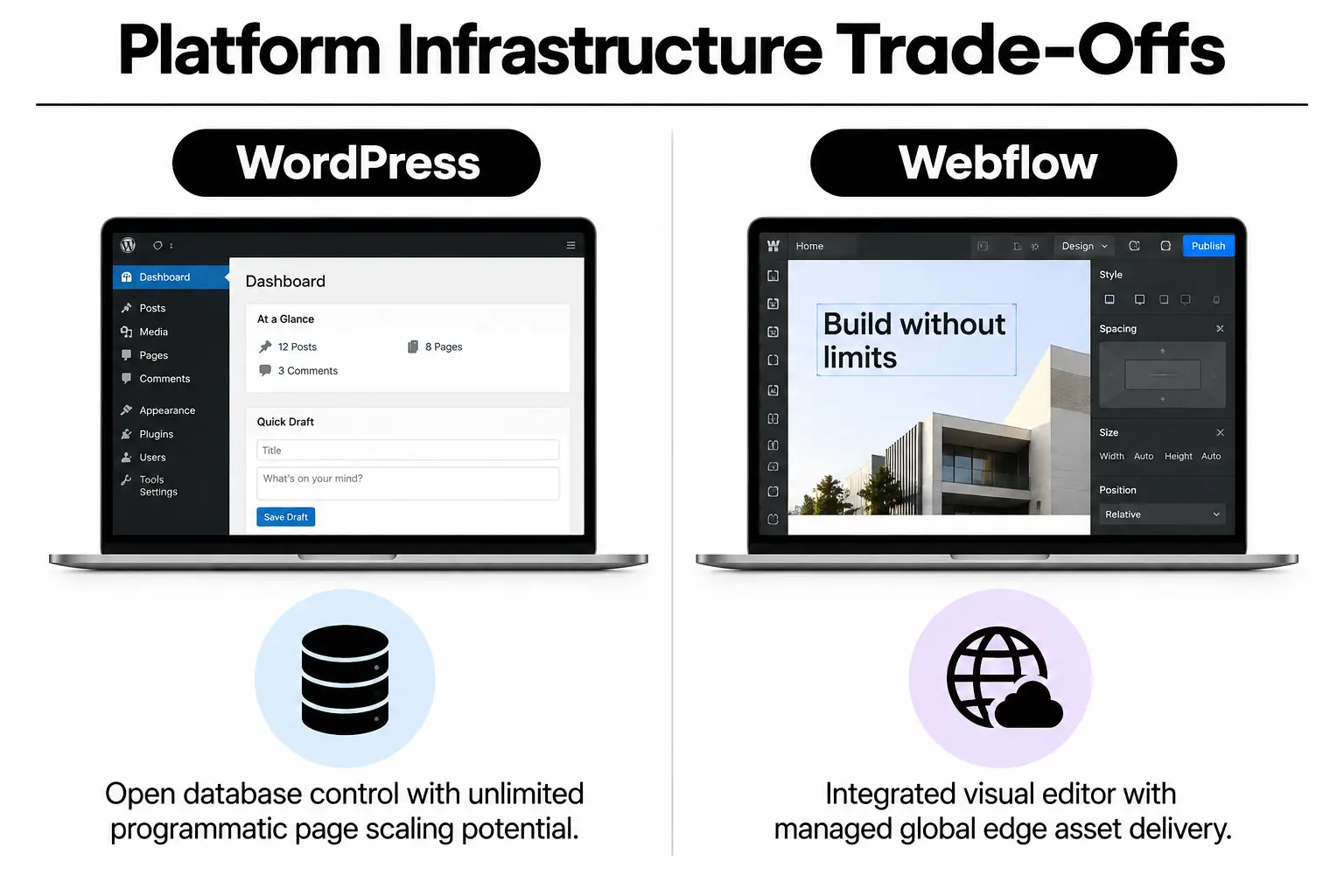
WordPress builds pages dynamically with PHP code and plugins. By contrast, Webflow creates static files in advance and serves them from AWS edge servers near visitors. Those differences affect how your site delivers well-formed page markup when search bots request many pages at once.
| Platform option | Recommended starting point | What to watch |
|---|---|---|
| Custom WordPress websites | Dedicated cloud servers with Redis caching to reuse database results | Plugins that swell the database and conflicting third-party scripts |
| Webflow CMS | Built-in hosting with files served from distributed edge servers | Collection page limits and fixed URL folder structures |
| Headless WordPress, with a separate front end | Static front ends built with modern JavaScript frameworks | Complicated builds and ongoing engineering costs |
Open-source systems give teams more say over how their data is stored. With custom WordPress websites, you keep detailed control of the database rather than working within a hosted platform’s limits. That matters when your catalog includes thousands of local pages.
Selecting Your Engine Based on Editorial Workflow and Growth Stage
Publishing speed often affects how quickly a business gains search rankings. Marketing managers need tools that make writing easy, while technical leads need reliable revision records. Once search visitors arrive, clear interface design helps keep them from leaving before they find what they need.
Match the platform to the people doing the work. In-house designers often work well with a visual canvas. Companies with deep content categories tend to need direct database connections instead.
| Situation or approach | Recommended choice | Avoid |
|---|---|---|
| Frequent design changes handled entirely by marketing | Webflow CMS | Large, tightly coupled themes with inflexible template builders |
| Large directories with several author permission levels | WordPress | Visual-only editors without clear user permissions |
| Commerce across channels alongside content libraries | WordPress with built-in catalog extensions | Closed hosted platforms that restrict checkout routes |
Architectural rule: Don’t choose a visual page builder when your publishing process requires pages generated automatically from data.
A specialist branding agency can help balance these needs, making sure the visible design has the technical support it needs behind the scenes.
Stack Compatibility and Organic Discovery Ecosystems
No platform works alone. A content management system (CMS) needs to connect with customer data and analytics tools, plus tools that label content for search engines. As discovery habits change, your plan should also cover preparing your site for AI search, including Perplexity and other machine-learning interfaces.
Before connecting outside services through APIs, the interfaces that let systems exchange data, check database flexibility. Also check webhook support: these notifications tell another service when something changes. The pairings below show how each platform can fit into your wider set of tools.
| Starting point | Suggested pairing | What to test | Intended result |
|---|---|---|---|
| Enterprise WordPress | Custom schema connections and separate customer relationship management (CRM) sync | Database response times when several tools request data together | Immediate rich snippet updates and detailed analytics data |
| Webflow Designer | Cloudflare Workers configured as a proxy between visitors and the site | Redirect delays at edge servers and file caching across domains | Fast local file delivery without configuring the hosting server |
| Hybrid setup with a separate front end | Node-based middleware connecting services to dynamic data endpoints | Build failures when posts go live in quick succession | Largest Contentful Paint, the main content loading measure, below one second on mobile |
Getting these connections right supports conversion rate optimization by keeping forms and other interfaces responsive at the point of conversion. Technical performance and the visitor’s experience need to work together for search efforts to pay off.
Execution Blueprint for Seamless Technical Crawling
Strong visibility in competitive California markets takes careful launch work. We recommend checking both the visitor experience and search bot access before deployment:
- Audit schema markup: Check JSON-LD, the code that describes page content, with official testing tools from the web standards community.
- Refine indexation controls: Set canonical tags to identify preferred URLs, and divide dynamic XML sitemaps into pages to prevent crawl loops.
- Streamline media pipelines: Compress images into formats such as AVIF or WebP, using picture tags to serve versions suited to each screen.
- Verify responsive rendering: Check for shifting layouts on different mobile screens, following Google’s Web Dev performance guidance.
- Deploy reliable caching: Automatically clear outdated cached copies so crawlers see content changes right away.
Launch checkpoint: Test crawling on your staging site before changing the domain’s nameservers to point to the new site.
For a build that needs more custom code, our guide to custom app development costs in Rancho Palos Verdes can help you assess the investment across the front and back end.
Allocating Resources: Development, Hosting, and Upkeep Tiers
Launch costs are only part of a website budget. Hosting and security patches continue after the site goes live, as do monitoring and editorial tool costs. Plan for those bills so unexpected technical expenses don’t take money away from your digital marketing work.
| Budget level | What to prioritise | What to question |
|---|---|---|
| Base investment ($) | Dependable managed hosting and templates with clearly structured HTML | Cheap shared servers that delay the first response to a page request |
| Growth investment ($$) | Automated performance checks and CMS fields tailored to your content | Oversized plugin bundles that load overlapping scripts |
| Enterprise tier ($$$) | Edge servers across regions and custom API automation | Closed systems that restrict database exports |
Missed updates leave sites open to security problems, which is why professional WordPress developers stress regular monitoring. Ongoing website maintenance covers plugin security and uptime checks. It also catches broken internal links before they hurt crawling.
Common Platform Questions for Growing Enterprises
Does Webflow offer better native page speeds than WordPress?
Out of the box, Webflow is faster because it centrally manages hosting and reduces file sizes. A properly configured WordPress site on modern cloud hosting can match or beat static hosting environments.
Can marketing teams customize complex landing pages without developer assistance?
On Webflow, editors can change visual styles directly on the canvas without editing code. To offer similar freedom, WordPress needs modern block themes or headless components, which separate the editing system from the displayed site.
How do database capabilities compare between both platforms?
With WordPress, you get unlimited custom content types and nested categories, along with full access to the SQL database. Webflow caps CMS collection items by hosting tier. Those limits make it a poorer fit for very large catalogs.
Which system handles programmatic directory publishing more effectively?
For automatically generated directories, WordPress is the stronger choice thanks to open database connections and its REST API for exchanging data. Webflow needs third-party software to connect those services and can reach collection limits quickly.
How simple is data portability if a migration becomes necessary?
Full WordPress database exports include the relationships between records, plus media and user history. Webflow lets you export CMS items as CSV files, but you’ll need to rebuild custom page designs and interactions by hand.
Operational Strategy and Launch Verification
The CMS you choose affects how quickly your brand can grow across California. Before committing to a platform, check these requirements against your expansion plans:
- Taxonomy scope: Will your planned page count fit within the platform’s collection limits?
- Editorial ownership: Can your staff publish campaign content without asking a developer?
- Server reliability: Can your hosting guarantee delivery in under a second during peak traffic?
- Database control: Can you fully export customer submissions and content records?
- SEO tool integration: Can your team easily manage canonical settings and redirects, along with schema and sitemaps?
Our search optimization articles cover how site structure supports organic discovery. To assess the right setup for your build, contact our team at Prozco Branding.