


















































































A website redesign can cost you search traffic if it changes URLs or removes content without a plan. For B2B marketing teams, search engine optimization belongs in the redesign brief, not on a cleanup list after launch.
We cover seven redesign mistakes that put search visibility at risk, along with checks to catch them before the new site goes live. The aim is to protect the traffic that brings qualified buyers to your business. Our guide to conversion rate optimization covers what happens once those buyers arrive.
A sound migration plan starts with preserving the value of existing URLs while making the site easier to use. Without technical checks, a redesign can undo years of work building search authority. Each section below explains what can go wrong and how to prevent it. We share more search advice on our blog.
What’s Inside This Guide
- 1. Launching Without a URL Mapping and 301 Redirect Architecture
- 2. Purging High-Performing Content to Pursue Visual Minimalism
- 3. Altering URL Slug Structures and Internal Linking Pathways
- 4. Overhauling JavaScript Frameworks Without Pre-Rendering Protocols
- 5. Neglecting Mobile Performance and Technical Core Web Vitals
- 6. Stripping Structured Schema Data and Metadata Assets
- 7. Forgetting Tracking Tags, Search Console, and XML Sitemaps at Cutover
- Evaluating the 7 Redesign Blunders Against Business Impact and Recovery Effort
- Clear Answers to Critical B2B Redesign Search Questions
- Protecting Organic Pipeline Value During Your Los Angeles Site Migration
1. Launching Without a URL Mapping and 301 Redirect Architecture
Design teams often shorten old URLs to match a simpler site structure. Without redirects, those old addresses return 404 errors, which tell crawlers the pages are missing. Existing search signals and the value of links pointing to those pages can quickly be lost. Sending every old URL to the homepage does not fix this.
Video: The 3-Step SEO Checklist to Run BEFORE Your Website Redesign (5K)
Bulk homepage redirects can be treated as soft 404s: pages that load but do not answer the original request. That costs service pages their established search value.
Every old URL with organic traffic or links from other sites needs a permanent 301 redirect to the closest matching page. A 301 tells browsers and search engines that a page has moved for good. Keep that match relevant when changing your content management system (CMS) or messaging, so existing search traffic still reaches the right service.
Migration rule: Before code changes stop for launch, map every indexable URL in a spreadsheet to its closest relevant live page.
2. Purging High-Performing Content to Pursue Visual Minimalism
A cleaner design often means pressure to cut long resource pages and technical copy. Sparse layouts may look good in mockups, but removing useful detail gives search engines less context. B2B buyers still need specifications and clear explanations of your process. Cutting answers to their purchasing questions can also cut the qualified traffic those answers bring.

Good design gives detailed copy a clear place on the page. Plan those layouts before cutting text, so buyers can find the information they need and crawlers can still read it. A page can look uncluttered without losing the substance that helps it rank.
- Check search impressions: Find pages with top-ten rankings before deciding which existing text to remove.
- Plan the layout: Use clear visual hierarchy with tabs or expandable accordion sections to make technical explanations easier to read.
- Keep relevant wording: Carry existing subheadings and topic-specific phrases into the new layouts where they support target searches.
3. Altering URL Slug Structures and Internal Linking Pathways
New service categories often lead to new URL folders, but internal links need attention too. Those links pass authority between pages, and changing them can interrupt that flow. An important service page that was one click from the homepage may end up four levels down. Buyers and crawlers then have a harder time reaching it.
Crawlers follow links in page copy as well as navigation menus. A new site structure can leave valuable B2B conversion pages isolated, so search engines visit them less often. Protect useful connections between pages during the redesign. Main category pages should keep linking to the business pages that depend on them for visibility.
4. Overhauling JavaScript Frameworks Without Pre-Rendering Protocols
Developers often rebuild older sites with JavaScript libraries to make them feel faster and more like an app. Client-side rendering means the browser must run scripts before it can display content. That extra processing can delay crawlers, leaving important text and links unread during their first visit to a page.
Blank page containers give search bots little to index until the scripts run. Important service content can then be absent from search records. Server-side rendering builds the page on the server, while static generation prepares it in advance. Both give crawlers complete HTML when they request the page, rather than making them wait for browser scripts.
Technical check: Before launch, use search engine inspection tools to confirm that dynamic pages provide readable HTML without relying on browser scripts.
5. Neglecting Mobile Performance and Technical Core Web Vitals
Large animations and uncompressed background videos can slow a new site down. Layout shifts, where content moves as it loads, frustrate visitors alongside slow server responses. These problems also fall short of Core Web Vitals guidance, which measures loading and interaction performance. B2B buyers on phones may leave within seconds rather than wait.
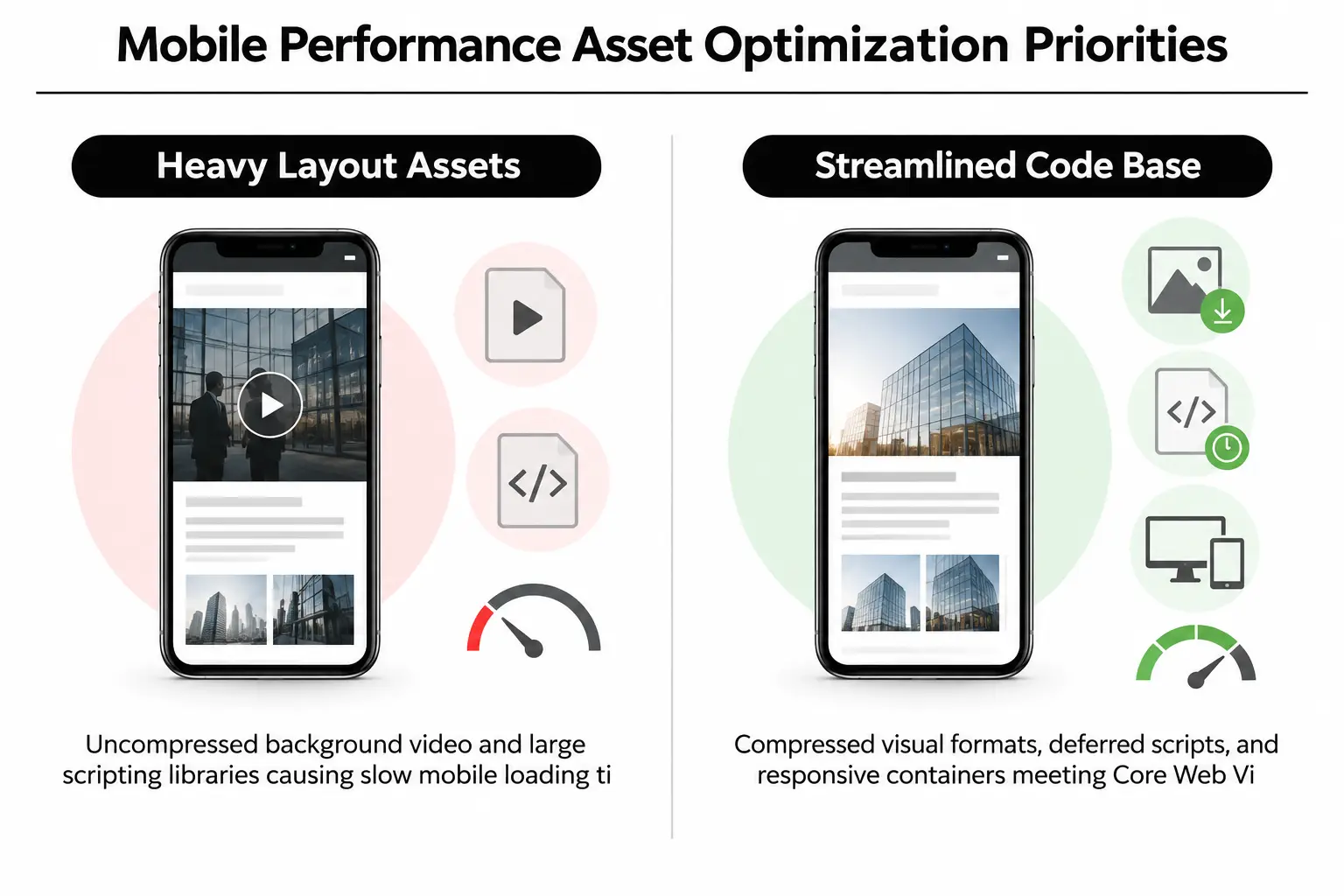
Mobile performance matters beyond searches made on a phone. Search engines take a mobile-first approach, so slow mobile pages can hurt desktop visibility too. Budget for page speed optimization early in the redesign. That gives your team time to reduce heavy files and scripts without giving up the visual quality you want.
6. Stripping Structured Schema Data and Metadata Assets
CMS migrations can leave carefully written page titles and descriptions behind. Structured data, code that explains page content to search engines, can disappear too. Losing these fields and tags defined by Schema.org standards leaves search engines with less guidance. The resulting search listings can attract fewer clicks.
Schema markup helps search engines identify your business and understand its services. It also provides details about executive authors and the areas you serve. Removing that information during a redesign means search engines must rebuild their understanding of your business. These fields deserve the same migration checks as the content visitors can see.
Metadata verification: Export existing title tags and meta descriptions, then check that the live database carries them into the new page templates.
7. Forgetting Tracking Tags, Search Console, and XML Sitemaps at Cutover
Launch checks can get rushed during DNS cutover, when the domain starts pointing to the new site. Teams may miss Search Console verification files or outdated XML sitemaps, which list pages for crawlers. Staging “noindex” tags can also reach production. Those tags tell search engines to remove pages from results, including your most important business pages.
Missing analytics tags create a different problem: your marketing team cannot see traffic or engagement dropping. Check tracking and search settings as soon as the site goes live. A thorough review can catch these errors within minutes, instead of leaving them unnoticed for weeks while the team assumes the migration went well.
Evaluating the 7 Redesign Blunders Against Business Impact and Recovery Effort
Use this comparison before launch to weigh the likely ranking damage against the work needed to recover. Each issue has a practical prevention step your team can check.
| Migration mistake | Cause | Ranking impact | Recovery effort | Prevention |
|---|---|---|---|---|
| Missing 301 redirects | URL structure changes without a plan | Severe ranking losses | High ($$$) | Map every old URL to its replacement |
| Useful content removed | Sparse design takes priority over detail | Steady loss of keyword rankings | Medium ($$) | Keep high-ranking copy in expandable sections |
| Broken internal links | Changes to menu structure | Less frequent crawling | Low ($) | Connect related pages with relevant internal links |
| JavaScript content not rendered | Browser rendering without server-side rendering | Pages not indexed at all | High ($$$) | Set standards for server-side rendering |
| Lower Core Web Vitals scores | Heavy videos and inefficient scripts | Gradual mobile ranking losses | Medium ($$) | Limit file sizes and cache scripts for reuse |
| Missing schema and metadata | CMS fields not mapped during transfer | Fewer clicks and less confidence in business identity | Low ($) | Transfer tags with automated database queries |
| Noindex tags left in place | Rushed checks during launch | Immediate removal from search across the site | Low ($) | Verify every item on the launch checklist |
Clear Answers to Critical B2B Redesign Search Questions
How long does an organic traffic drop typically last after a B2B site redesign?
After a clean migration with proper 301 redirects, traffic may dip slightly while search engines process the changes over two to four weeks. Serious losses lasting beyond 30 days point to a problem worth investigating. Check for crawl errors and missing redirects, then review whether removed content had been bringing in traffic.
Can high-quality design work seamlessly alongside enterprise search practices?
Good search engine optimization organizes content around what buyers need, which also supports a clear design. Logical headings and readable type help people find their way through a page. Fast loading supports that experience while helping the site meet search performance expectations.
Should legacy blog posts and resource guides be migrated to the new site?
Review past organic traffic before deleting older articles or resource guides. Keep a resource if it attracts qualified visitors or has links from reputable sites. You can also fold its useful material into an updated guide, then use a 301 redirect to send visitors from the old address to that replacement.
Why are staging site environments at risk of causing search issues?
Staging sites are test versions of your website, but search engines can find them before launch. Without password protection or appropriate crawler restrictions, those test pages may be indexed. Duplicate versions of your content can then compete with the main site and weaken its visibility.
What role does continuous site upkeep play after a redesign launch?
Regular website maintenance catches broken links and keeps track of Core Web Vitals. It also checks that CMS security updates have not changed page metadata or schema code since launch.
Protecting Organic Pipeline Value During Your Los Angeles Site Migration
At Prozco Branding, we bring technical checks into the design work to protect search visibility during platform migrations. Our Los Angeles team can help plan a move or investigate traffic losses after launch. Getting that review before committing to changes helps prevent costly mistakes with pages that already bring you business.
Request a free website audit, or contact our Los Angeles team to review your upcoming site migration.