





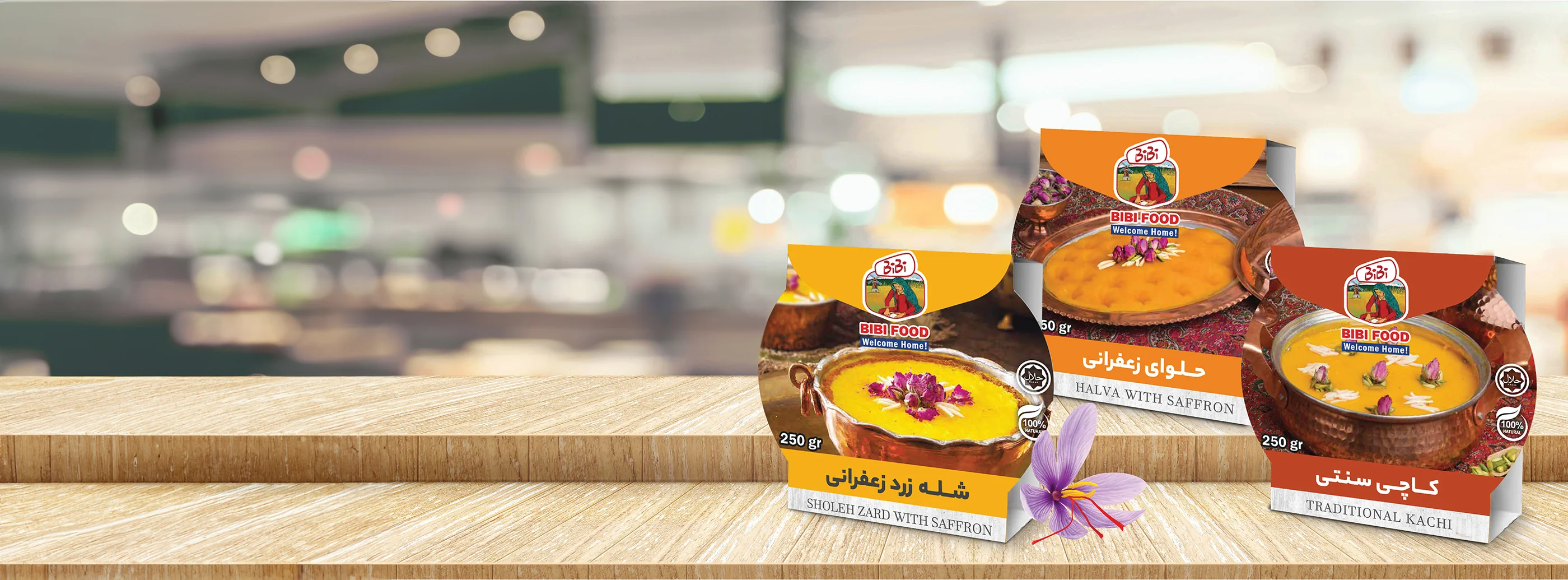












































































Shopify Plus suits retailers who want less technical upkeep. Magento fits businesses that need direct control over how their store works.
For most consumer brands selling across Los Angeles, Shopify Plus is the faster route to launch with fewer daily maintenance demands. Adobe Commerce (Magento) gives merchants more room to build custom database logic and route orders across multiple warehouses.
Planning your platform around a sound search engine optimization foundation helps you avoid another costly migration when your catalog grows.
Both platforms handle millions in transactions, but their structure affects product options and canonical tags, which identify a page’s preferred URL for search engines. Magento provides full code access for custom enterprise resource planning (ERP) connections. Shopify Plus handles infrastructure so your marketing team can work without daily developer requests.
The right choice protects your margins and helps preserve the search visibility your store has already earned.
What’s Inside This Guide
- The High Cost of Choosing the Wrong Architecture
- Open Source Control Against Cloud Velocity
- Matching Store Complexity to Platform Infrastructure
- Stacking Integrations, POS, and Technical SEO Setup
- Auditing Technical Milestones Before Platform Migration
- Total Cost of Ownership: Development and Maintenance Realities
- Direct Platform Questions Los Angeles Merchants Ask
- Plan Your Store Migration Strategy
The High Cost of Choosing the Wrong Architecture
Store owners often underestimate how much platform structure affects page speed and the way search engines find and index pages. Moving an established catalog to the wrong system can undo rankings built over years in competitive local markets. Poorly matched software also delays inventory updates and stalls checkouts, while fewer shoppers find you through search.

A platform move affects daily operations. Poor setup can leave redirects looping between pages and product filters creating pages with little useful content. Core Web Vitals, Google’s measures of loading and page responsiveness, can suffer too. These structural problems are hard to fix once thousands of product records and customer accounts are live.
Practical check: Before choosing by feature list, check whether your team can update schema, the structured data search engines read, and manage load speeds without outside help.
Before committing to a move, review where your current store falls short. You can talk with our team about those limits and your migration plan. At Prozco Branding, we help established lifestyle brands choose platforms that support consistent design and the brand recognition they’ve worked to build.
Open Source Control Against Cloud Velocity
Start by deciding who will manage the infrastructure. Magento gives you full code control, including database queries, routing rules and caching, which stores data for faster access. That freedom matters if wholesale and direct-to-consumer buyers need different pricing rules on the same domain. Your team also takes responsibility for how those systems work.
Video: TECH GIANT compares Shopify Plus and Magento for ecommerce stores (2025).
Core Platform Architecture Differences
Shopify Plus handles hosting and PCI compliance, the security requirements for card payments. It also distributes traffic across servers automatically during busy sales. You give up server-level settings in return for that stability. Hosted infrastructure makes sense if your team focuses on products and brand marketing rather than keeping servers running.
| Platform option | Recommended starting point | What to watch |
|---|---|---|
| Magento (Adobe Commerce) | Enterprises with custom business-to-business pricing tiers, complex ERP connections or private cloud requirements. | Budget for ongoing developer maintenance and security patches, plus self-hosted server costs. |
| Shopify Plus | Growing retail brands that need to launch quickly with built-in checkout and less hosting work. | Check URL and checkout customization limits. App subscription costs can grow over time. |
| Headless hybrid setup | Retailers that need shared customer-facing interfaces across custom mobile apps and web stores, separate from their commerce backend. | Higher upfront interface costs and more work coordinating separate application programming interfaces (APIs), which let systems exchange data. |
An enterprise store with specific technical needs often pairs custom Magento development with layouts built for its catalog. Lifestyle brands working toward seasonal release dates may instead use Shopify development to get collections live quickly. The choice depends on how much custom work the business actually needs.
Matching Store Complexity to Platform Infrastructure
Different retail businesses need different tools. An apparel brand offering custom embroidery needs product options that a packaged-food business shipping perishables does not. Map those catalog requirements before choosing a platform. Otherwise, you can end up layering apps over missing features and slowing the store down just to support everyday orders.
| Retail model or catalog setup | Recommended platform choice | Configurations to avoid |
|---|---|---|
| B2B and wholesale hybrid | Magento | Adding fragile third-party wholesale portal plugins to a basic Shopify Plus setup. |
| Direct-to-consumer apparel | Shopify Plus | Building needlessly complex Magento themes that slow pages on mobile devices. |
| International business with multiple storefronts | Magento | Putting regional storefronts in separate hosted accounts that do not stay in sync. |
| High-volume flash sale releases | Shopify Plus | Using private servers without enough capacity for traffic from unannounced product releases. |
Technical guideline: If each item needs more than three nested product options, test database response times before committing to hosted software with fixed structural limits.
Good interface and user experience design makes a complex catalog easy to shop on a phone. An experienced branding agency can connect the store’s technical requirements with the experience shoppers see. Testing and improving the purchase process then helps reduce abandoned orders on either platform, rather than leaving that work until after launch.
Stacking Integrations, POS, and Technical SEO Setup
Your store must work with physical point-of-sale (POS) equipment and local fulfillment centers. Search engines also need a clear way to read its pages. For Los Angeles retailers, keeping shop-floor stock in sync with online inventory prevents customers from ordering products that have already sold in the showroom.
| Core retail focus | Integration approach | What to sample or test | Intended operational effect |
|---|---|---|---|
| Physical store inventory sync | Built-in Shopify POS or Magento POS connections | Stock counts updating immediately between the register and online cart | No overselling during busy showroom hours |
| Warehouse distribution | Direct ERP connections and API webhooks, which send updates when events occur | Bulk picking slips generated while many orders arrive at once | Orders routed quickly across fulfillment locations |
| Discovery through search | Crawler instructions, automated XML page lists and structured data | Breadcrumb navigation and preferred-page tags on pages with layered product filters | Better search result snippets and correctly indexed pages |
Reaching local shoppers on phones requires following technical guidance from standards bodies such as the World Wide Web Consortium (W3C). Pages still need to load quickly once shoppers arrive. Dedicated page speed optimization matters on either platform, regardless of which system handles the cart behind the scenes.
For an example of visual design paired with technical commerce work, see our luxury client project.
Auditing Technical Milestones Before Platform Migration
Moving platforms without a detailed checklist puts search traffic at risk. Small mistakes in page titles, descriptions or URL redirects can lower rankings for several quarters. Work through the migration in order, with each stage checked before the next begins, rather than trying to fix everything just before launch.
- Catalog and data mapping: Record every historical product identifier (SKU), customer record and order detail. Match fields between platforms so no data gets lost.
- URL inventory and redirect planning: Crawl the whole domain and map each old URL to its replacement. Critical existing pages should never return a 404, or page-not-found error.
- Theme prototypes and mobile usability: Build layouts that adapt to screen size, with touch-friendly checkout controls and page files that load quickly.
- Payment and shipping gateways: Set up tokenization, which replaces sensitive payment details with tokens. Configure automatic taxes and local carrier rates under standard protocols monitored by the Federal Trade Commission.
- Pre-launch crawl checks: Audit the test site. Remove noindex tags that block search listings, check hreflang tags that identify language versions, and validate structured data.
Migration checkpoint: Freeze backend catalog edits forty-eight hours before changing DNS, the system that directs visitors to your server, and verify order syncs while that change spreads.
Migration work needs close oversight. Professional search optimization support before launch helps avoid the typical 30% visibility drop seen in unguided migrations. Brands with existing content hubs can use WordPress development or a custom WordPress site to keep a substantial blog alongside their commerce platform.
Total Cost of Ownership: Development and Maintenance Realities
License prices alone do not show what a store will cost to run. Shopify Plus has predictable software pricing tiers, but specialist app subscriptions add to each bill. Checkout extensions and private transaction fees also accumulate, so the platform fee is only the starting point for your budget.
| Budget allocation tier | What to prioritise | What to question |
|---|---|---|
| Lean / mid-market growth ($) | Ready-to-use Shopify Plus setups with verified apps and straightforward interface templates. | Expensive custom software connections when standard connectors handle 95% of the work. |
| Established enterprise ($$) | Dedicated cloud servers and custom API connections, with checkout flows built around conversion needs. | Large agency retainers for work the platform’s built-in tools already handle. |
| Custom multichannel retail ($$$) | Specialized ERP services and separate customer-facing interfaces, with database copies across regions. | Rewriting the entire system when small, focused services can fix the connection problems. |
Magento needs ongoing technical work. Developers must patch security issues and update extensions while keeping the database and servers healthy. Routine website maintenance helps prevent sudden downtime during regional shopping holidays. For more on building lasting search traffic, read our search optimization guide.
Direct Platform Questions Los Angeles Merchants Ask
Which platform delivers better out-of-the-box SEO performance?
Shopify Plus offers strong Core Web Vitals and fast mobile loading with little manual adjustment. Magento gives technical teams full control over server responses and URL details, including trailing slashes. They can also set preferred-page rules and organize nested subcategories exactly as the catalog requires.
Can high-end fashion boutiques run custom storefront designs on Shopify Plus?
Yes. Shopify’s Liquid theme system and Hydrogen storefronts, which separate the interface from the commerce backend, support custom interactive shopping experiences. Experienced store designers can give your brand a distinct look while keeping the platform’s functions intact.
How steep are developer maintenance demands for Magento stores?
Magento stores routinely need 10 to 40 hours of developer work each month. That covers security patches and module updates, along with keeping checkout connections stable. Without regular code reviews, an open-source store can quickly become slower and less reliable.
What makes Shopify Plus checkout URLs difficult for multi-language domains?
Historically, Shopify fixed URL paths around conventions such as /collections/ and /products/, leaving little room to change directory structures. Shopify Markets has made international selling simpler. Magento still gives merchants more control over multiple domains and hreflang tags, which tell search engines which language version to show.
When should an omnichannel retail brand choose headless commerce?
Headless commerce can justify its cost when one product database must supply several customer-facing channels. Those might include smart kiosks and mobile apps, as well as busy editorial sites. Separating the interface from the commerce system costs more to build but gives you full design control.
Plan Your Store Migration Strategy
At Prozco Branding, we build stores designed to grow and turn visits into sales. We weigh your team’s technical capacity against your catalog needs and marketing goals. A clear plan helps prevent costly mistakes, from improving an existing shopping experience to connecting sales across several channels.
Before committing to a platform, check these requirements against your launch plan:
- Confirm ERP compatibility: Verify that your warehouse software stays in sync through official APIs.
- Audit technical SEO requirements: Map preferred-page rules and permanent 301 redirects, then plan structured data for richer search listings.
- Calculate true running costs: Add up hosting and app fees, plus developer retainers, over three years.
- Review checkout flexibility: Confirm that local payment gateways and installment plans work through built-in connections.
- Test mobile page speeds: Run simulated heavy-traffic tests on your most important landing pages.
Contact our team to review your current store structure and plan which platform fits your next build.